
Emails Categorization
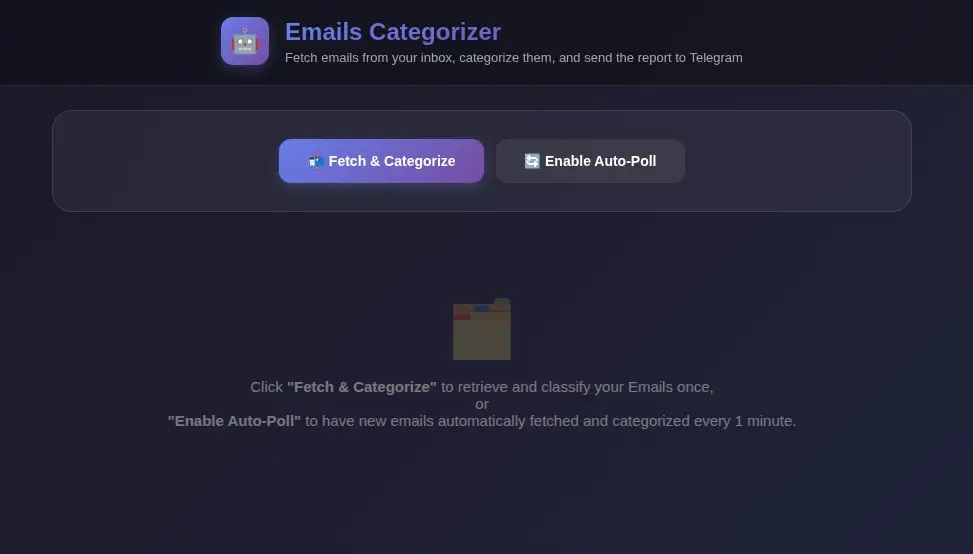
Click to zoom
Emails Categorization
Fetch unread emails via IMAP, categorize each one with AI, and receive a formatted summary report in Telegram fully automated.
Emails Categorization is an automation that reads your inbox over IMAP, uses OpenAI to classify and summarise every unread email, and delivers a structured report to a Telegram chat.
What it does
- Email fetching : Connects to any IMAP inbox (e.g. Gmail) and retrieves unread messages with
fetch-emails - Per-email AI categorization : Passes each email through OpenAI via
categorize-single-emailto extract category, priority, and a short summary - Telegram report : Formats the enriched results and sends a clean digest to a Telegram chat via
categorize-emails
Environment variables (.env / keyring on apps)
| Variable | Purpose |
|---|---|
HABITS_OPENAI_API_KEY | OpenAI API key for AI-powered email categorization |
HABITS_IMAP_HOST | IMAP server hostname (e.g. imap.gmail.com) |
HABITS_IMAP_PORT | IMAP port (typically 993 for SSL) |
HABITS_IMAP_USER | IMAP login username / email address |
HABITS_IMAP_PASSWORD | IMAP password or Gmail App Password |
HABITS_TELEGRAM_BOT_TOKEN | Telegram Bot token from BotFather |
HABITS_TELEGRAM_CHAT_ID | Telegram chat ID to send the report to |
How to set up
- Copy
.env.exampleto.envand fill in your credentials. - For Gmail, enable 2-Step Verification and generate a 16-character App Password to use as
HABITS_IMAP_PASSWORD. - Create a Telegram bot via
@BotFather, grab the token, and obtain your chat ID. - Run
categorize-emails: it will fetch, score, and report your inbox automatically.
Tech stack
- habits framework for workflow orchestration
- OpenAI (
@ha-bits/bit-openai) for natural-language email classification and summarisation - IMAP (
@ha-bits/bit-email) for inbox access - Telegram (
@ha-bits/bit-telegram) for report delivery
Run Your .habit File
Run on Mobile
- [ ] Download the Cortex App from store or the downloads page
- [ ] Open the Cortex App on your device
- [ ] Tap "Open Habit" or "+" button
- [ ] Select your
.habitfile from your device storage - [ ] The habit will be loaded and ready to run
Run on Desktop
- [ ] Download the Cortex App for your platform from the downloads page
- [ ] Install and open the Cortex App
- [ ] Click "Open Habit" or drag & drop your
.habitfile - [ ] The habit will be loaded and ready to run
- [ ] Optional: Place a
.envfile in the same directory as your.habitfile to override environment variables
Run on Server
Run your .habit file as a server using the Cortex CLI:
bash
# Install and run in one command
npx @ha-bits/cortex --config ./your-app.habit- [ ] Make sure Node.js 20+ is installed
- [ ] Run the command above with your
.habitfile path - [ ] Server will start on the specified port (default: 3000)
- [ ] Access the app at
http://localhost:3000 - [ ] Optional: Place a
.envfile next to your.habitfile - it will automatically override any embedded environment variables
Run Serverless
For serverless or containerized deployments, we recommend using Docker:
bash
# Using Docker (recommended for serverless)
docker run -p 3000:3000 -v $(pwd)/your-app.habit:/app/habit.habit \
  node:20-alpine npx @ha-bits/cortex --config /app/habit.habit --host 0.0.0.0
Or create a Dockerfile:
dockerfile
FROM node:20-alpine
WORKDIR /app
COPY your-app.habit ./
COPY .env ./ # Optional: include environment variables
RUN npm install -g @ha-bits/cortex
EXPOSE 3000
CMD ["cortex", "--config", "./your-app.habit", "--host", "0.0.0.0"]- [ ] Create a Dockerfile or use the Docker run command above
- [ ] Deploy to your preferred cloud provider (AWS, GCP, Azure, etc.)
- [ ] Configure environment variables via your cloud provider's secrets management
- [ ] Set up health checks at
/habits/base/apiendpoint
Workflow Visualization
Requirements
- OPENAI_API_KEY (OpenAI API key)
- IMAP_HOST (IMAP server hostname)
- IMAP_PORT (IMAP port)
- IMAP_USER (IMAP login username / email address)
- IMAP_PASSWORD (IMAP password or Gmail App Password)
- TELEGRAM_BOT_TOKEN (Telegram Bot token from BotFather)
- TELEGRAM_CHAT_ID (Telegram chat ID to send the report to)
Quick Start
Run using the Habits CLI wrapper, recommended if you develop local Habits
# First, download the example files
npx habits@latest cortex --config ./emails-categorization/stack.yamlGet in touch
Want this habit running in your environment?
This habit is a starting point. Tell us about your stack and we'll help you get it working exactly the way your team needs.