
Build for Customers
Goal: Package an AI automation as a branded SaaS product that your customers access through a URL, with a custom UI, zero backend code from you, and a single docker run deployment.
This recipe shows you how to go from a workflow you built in Base to a live product your customers can use. The result: a .habit file that includes your workflow, your frontend, and all dependencies, deployable anywhere with one line.
What you'll end up with
https://your-product.com
  → Custom branded UI your customers interact with
  → Runs your AI workflow on the backend
  → No API keys exposed to the client
  → Works for one customer or ten thousand (scale via docker)
Your customers never know Habits is involved. They see your brand, your UI, and your domain.
Tools used
| Tool | Role |
|---|---|
| Base | Build the workflow and custom frontend |
| Cortex Server | Serves the habit in production |
| Admin | Optional, manage multiple customer instances from one panel |
Step 1, Write a custom bit (optional but powerful)
A bit is a reusable TypeScript action that becomes a first-class node in any habit. If your product needs logic that doesn't exist in the built-in nodes, a proprietary API integration, a custom scoring algorithm, a domain-specific transform, write it as a bit.
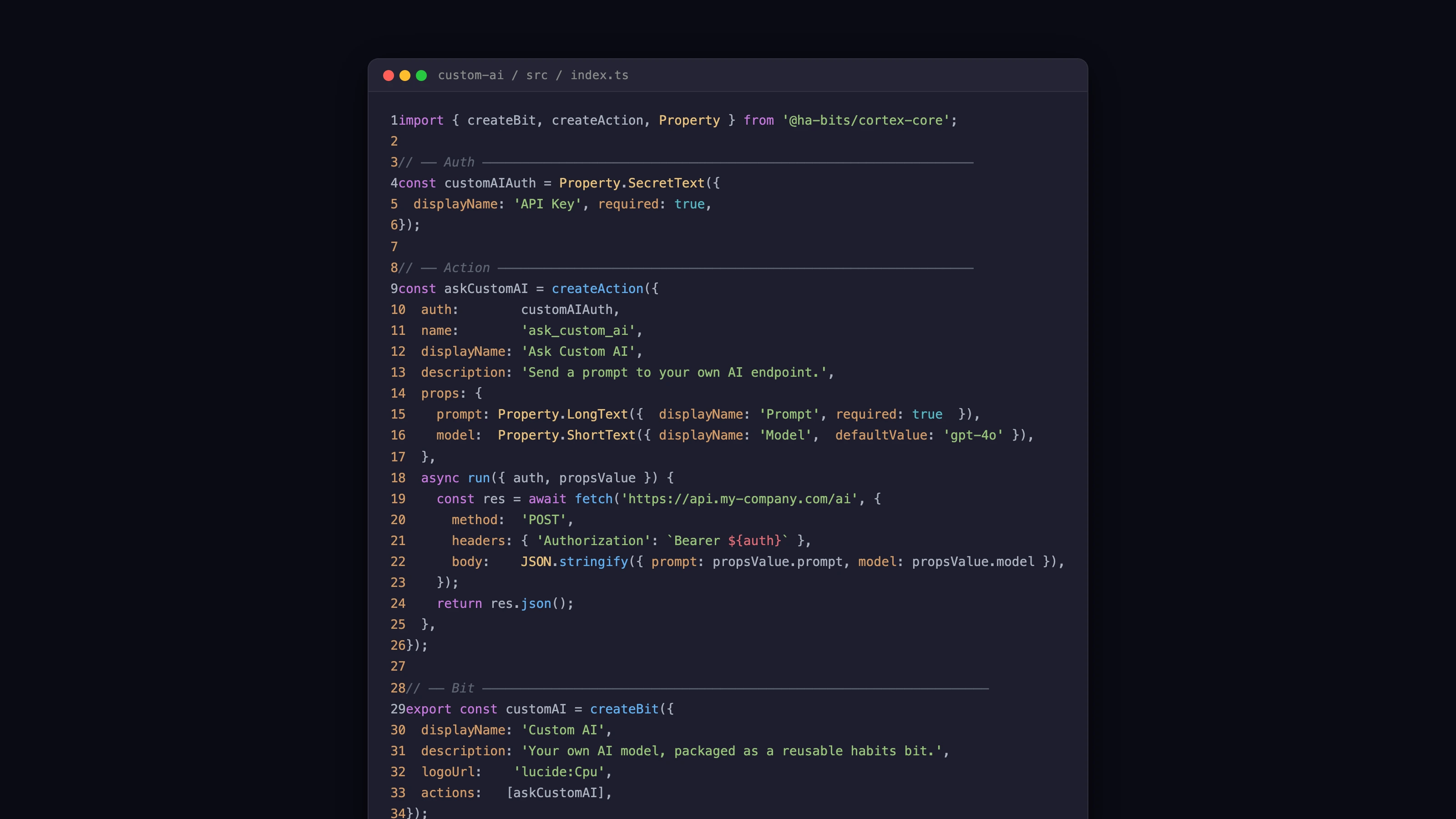
Scaffold a new bit:
npx habits@latest init-bit my-integration
cd my-integration
A bit is a TypeScript module that exports actions and optionally triggers:
// src/index.ts
export const actions = {
  score_lead: async (params, context) => {
    const { name, email, company } = params
    const score = await myPropietaryScorer(name, email, company)
    return { score, label: score > 0.7 ? 'hot' : 'cold' }
  }
}
Publish it to npm (public or private registry):
npm publishOr reference it locally during development:
pnpm add ./my-integrationStep 2, Wire it into a habit YAML
Back in Base, add your custom bit as a node in the workflow. The bit's package name is the module field.
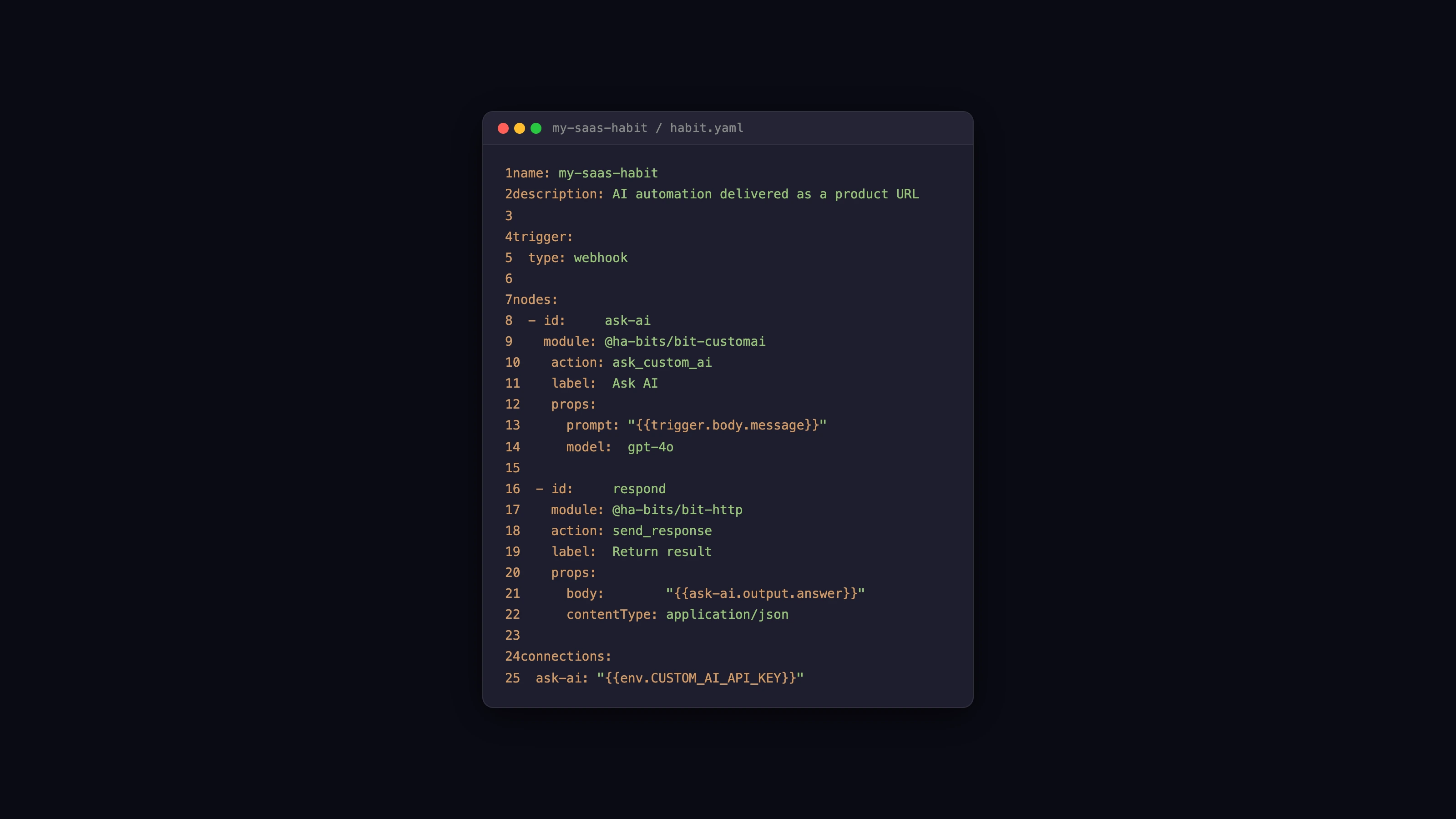
nodes:
  - id: score
    type: bits
    data:
      module: "my-npm-org/my-integration"
      operation: score_lead
      params:
        name: "{{habits.input.name}}"
        email: "{{habits.input.email}}"
        company: "{{habits.input.company}}"

  - id: respond
    type: bits
    data:
      module: "@ha-bits/bit-openai"
      operation: ask_chatgpt
      params:
        model: gpt-4o
        prompt: |
          Lead score: {{score.score}} ({{score.label}})
          Write a personalized outreach email for this lead.
          Name: {{habits.input.name}}, Company: {{habits.input.company}}

edges:
  - source: score
    target: respond

output:
  email: "{{respond}}"
Your custom bit works exactly like any built-in node, it gets data from upstream nodes via template expressions, returns output that downstream nodes can reference.
Step 3, Build the customer-facing frontend
Your habit's frontend is the UI your customers interact with. You can use any framework: React, Vue, Svelte, or plain HTML. Base can scaffold a frontend alongside the workflow.
In Base, click Frontend in the tab bar. You get:
- A form editor for simple input/output UIs (no code)
- A code editor for custom React/Vue components
- Live preview connected to the local Cortex runtime
For a custom frontend, your app makes HTTP calls to the local Cortex API:
// React example
const result = await fetch('/api/score-and-email', {
  method: 'POST',
  body: JSON.stringify({ name, email, company }),
  headers: { 'Content-Type': 'application/json' }
})
const { email } = await result.json()
The Cortex runtime handles CORS, authentication, and rate limiting. You configure those in stack.yaml.
Branding your frontend:
- Use your own logo, colors, and typography
- Add your privacy policy and terms links
- Remove all Habits branding, the final product is yours
Step 4, Deploy with one line
Pack the habit:
npx habits@latest pack --output my-product.habitThen deploy:
docker run -d \
  -p 3000:3000 \
  -v $(pwd)/my-product.habit:/habit.habit \
  -e OPENAI_API_KEY=sk-... \
  habits/cortex:latest cortex --config /habit.habit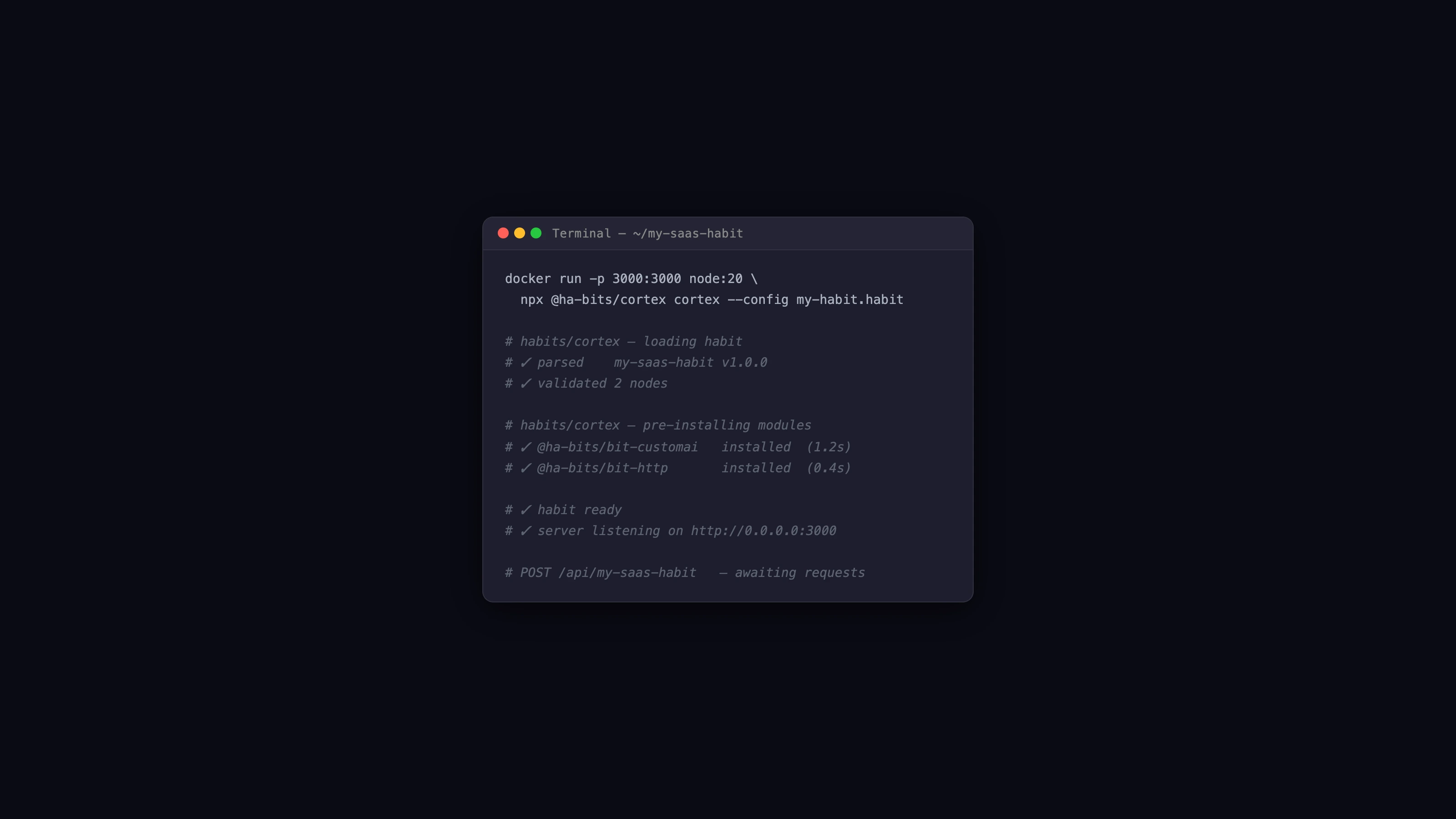
That's it. Your product is running at port 3000. Put a reverse proxy in front of it and point your domain there.
Environment variables for secrets: Never put API keys inside the .habit file. Pass them as environment variables at runtime. The habit references them as {{env.OPENAI_API_KEY}} in the workflow YAML.
params:
  api_key: "{{env.OPENAI_API_KEY}}"
Step 5, Customers get a live URL
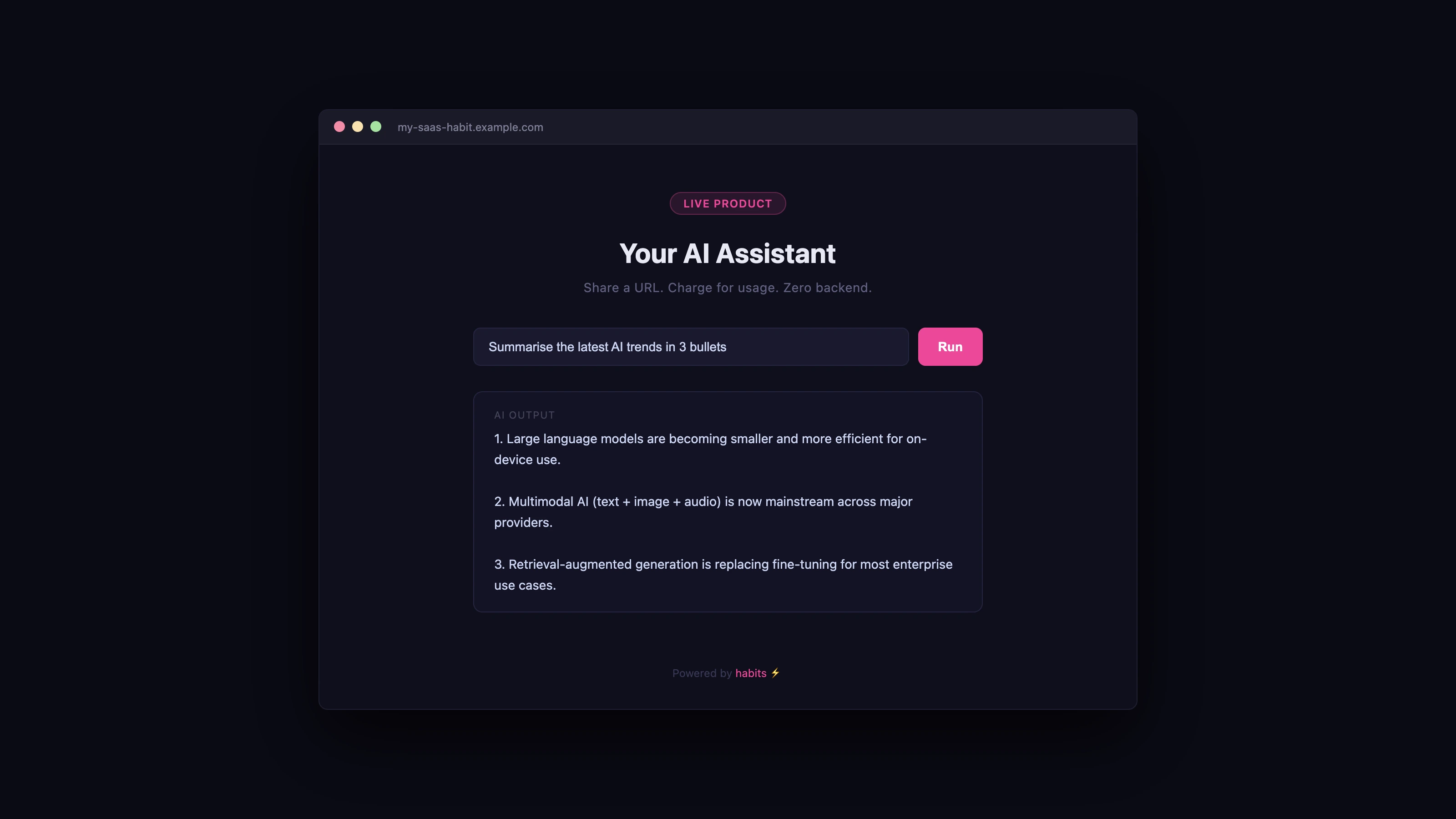
Share the URL with your customers. They see your branded UI, fill the form, and get results. They have no knowledge of the underlying workflow, which AI model is running, or what infrastructure hosts it.
For each new customer, either:
- Shared instance, all customers use the same URL, with authentication handled by your frontend
- Per-customer instance, each customer gets their own subdomain via Admin. See the Company Hub recipe
Scaling and multi-tenancy
Single shared instance
One Cortex process handles all customer requests. Suitable for low-to-medium traffic. Add a load balancer and run multiple docker run instances if you need more throughput.
customer-1 ──┐
customer-2 ──┼──→ Nginx LB → [cortex-1, cortex-2, cortex-3]
customer-3 ──┘
Per-customer isolation
Deploy a separate Cortex instance per customer via Admin. Each customer has their own subdomain and fully isolated runtime. More expensive in server resources but gives each customer guaranteed performance.
customer-1.yourproduct.com → cortex-instance-1 (habit: my-product.habit)
customer-2.yourproduct.com → cortex-instance-2 (habit: my-product.habit)
White-labelling
Ship different themes or configurations per customer by parameterising the stack.yaml. Use environment variables to pass a CUSTOMER_ID at startup, and have the habit load customer-specific settings from a database at boot.
Monetising your habit
Usage-based billing: Log each workflow execution (Cortex emits structured logs with duration and node counts). Push logs to a database, aggregate by customer ID, and bill based on run count or AI token usage.
Seat-based billing: Add authentication to the frontend. Issue API tokens to users. Cortex supports token-based auth middleware in stack.yaml.
One-time purchase: Pack the habit and sell the .habit file directly. Customers run it themselves with npx habits@latest cortex --config your-product.habit. You provide the file, they provide their own API keys.
Tips for building a production-quality customer product
Never hard-code secrets. All credentials via environment variables. Rotate them without redeploying.
Version your .habit files. Tag each release (my-product-v1.2.3.habit). Keep old versions around so you can roll back in under a minute.
Add health checks. Cortex exposes /health by default. Wire this into your load balancer and monitoring. If the health check fails, the load balancer stops routing to that instance.
Write a custom bit for your core logic. Bits are TypeScript, they're easy to unit test. Test the bit independently before wiring it into the habit workflow. This dramatically reduces debugging time.
Use the Admin panel for customer management. Each customer's Cortex instance is visible in the Admin panel with real-time metrics. If a customer reports an issue, you can inspect their instance's logs from the admin UI without SSH.
Related
- No-Code Automation Builder recipe, build the workflow first
- Company Hub recipe, manage multiple customer instances
- Cortex Server reference
- Base tool reference