
Skip to content

Email Send & Receive Demo
Beginner
email imap smtp automation communication

Complete email workflow demonstration with IMAP polling and SMTP sending capabilities.

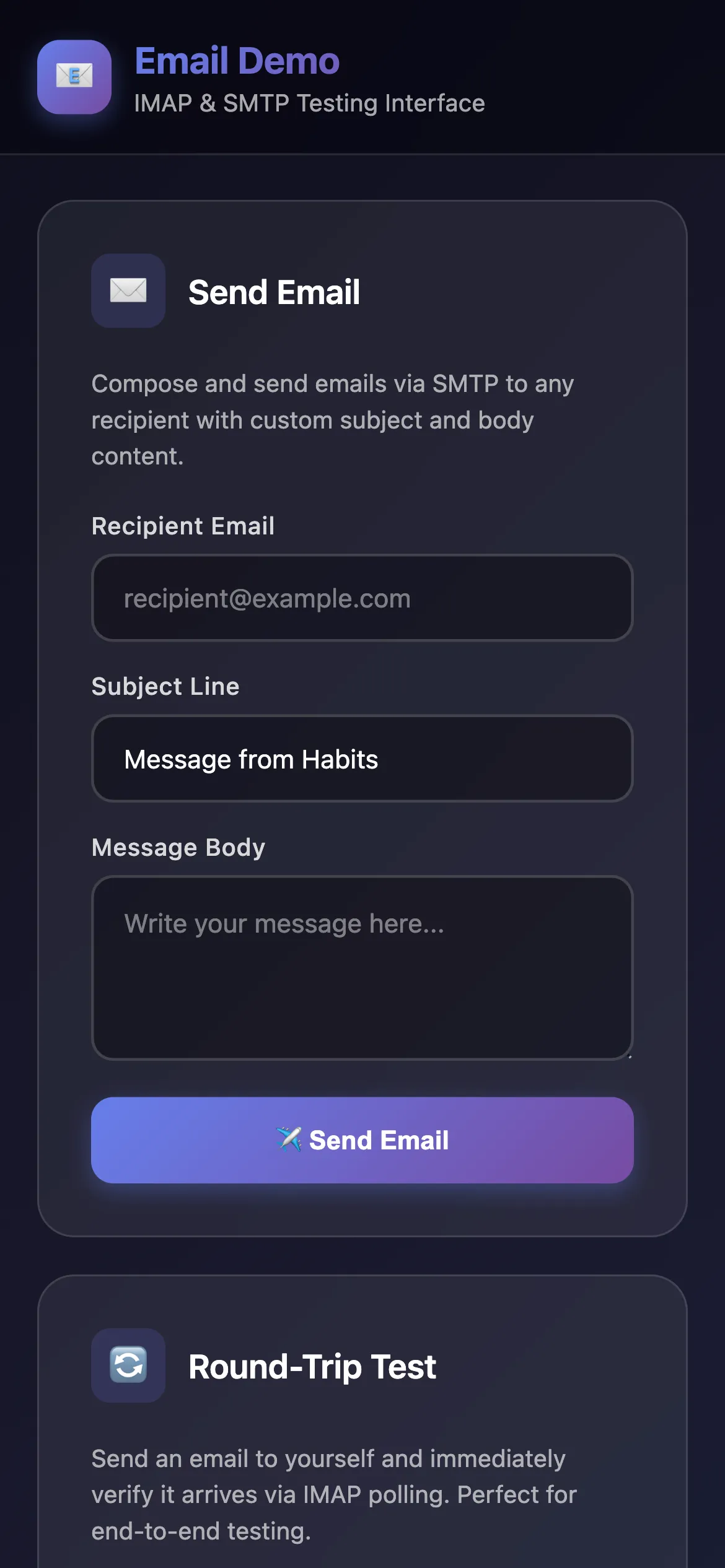
The Email Demo showcases the @ha-bits/bit-email module's capabilities for building email-powered workflows, especially on mobile.

What It Does

  • Send Email: Send emails via SMTP to any recipient
  • Poll Inbox: Fetch and display emails from IMAP inbox
  • Round-Trip Test: Send an email to yourself and verify receipt
  • Auto-Polling: Continuously monitor inbox for new messages
  • Real-time UI: Interactive web interface for testing email operations

Features

  • ✉️ SMTP email sending with customizable recipient, subject, and body
  • 📥 IMAP inbox polling with unread/all message filtering
  • 🔄 Complete round-trip testing (send → receive verification)
  • ⚡ Auto-refresh polling for inbox monitoring
  • 🎨 Clean, modern dark-mode UI

Perfect for understanding email automation, building notification systems, or creating email-based workflows with Habits.

Requirements

  • Email account with IMAP/SMTP access (Gmail, Outlook, etc.)
  • App password for Gmail users

Key Files

yaml
version: "1.0"
name: "Email Demo"
workflows:
  - id: email-forward-demo
    path: ./habit.yaml
    enabled: true
  - id: send-email
    path: ./send-email.yaml
    enabled: true
  - id: poll-emails
    path: ./poll-emails.yaml
    enabled: true

server:
  port: 13000
  host: "0.0.0.0"
  frontend: ./frontend

logging:
  level: debug
  outputs: [console]
  format: text
  colorize: true
yaml
id: email-forward-demo
name: Email Send and Receive Test
description: |
  Test: Send email to self, then check IMAP to verify receipt

nodes:
  # Step 1: Send email to self
  - id: send-to-self
    type: action
    data:
      framework: bits
      source: npm
      module: "@ha-bits/bit-email"
      operation: sendEmail
      params:
        from: "{{habits.env.EMAIL_USER}}"
        to: "{{habits.env.EMAIL_USER}}"
        subject: "IMAP Test - {{habits.timestamp}}"
        body: "This is a test email to verify IMAP works. Timestamp: {{habits.timestamp}}"
      credentials:
        auth:
          host: "smtp.gmail.com"
          port: 587
          user: "{{habits.env.EMAIL_USER}}"
          password: "{{habits.env.EMAIL_PASSWORD}}"

  # Step 2: Check INBOX only
  - id: check-inbox
    type: action
    data:
      framework: bits
      source: npm
      module: "@ha-bits/bit-email"
      operation: fetchEmails
      params:
        folder: "INBOX"
        unreadOnly: false
        limit: 3
      credentials:
        auth:
          host: "imap.gmail.com"
          port: 993
          user: "{{habits.env.EMAIL_USER}}"
          password: "{{habits.env.EMAIL_PASSWORD}}"

edges:
  - source: send-to-self
    target: check-inbox

output:
  sent: "{{send-to-self}}"
  inbox: "{{check-inbox}}"
example
# Email Demo Configuration
# Copy this file to .env and fill in your email credentials

# Mail server settings
# For Gmail: imap.gmail.com / smtp.gmail.com
# For Outlook: outlook.office365.com
# For custom: your mail server hostname
EMAIL_HOST=imap.gmail.com

# IMAP port (default: 993 for SSL, 143 for plain)
IMAP_PORT=993

# SMTP port (default: 587 for TLS, 465 for SSL, 25 for plain)
SMTP_PORT=587

# Email credentials
# For Gmail: use App Password (see https://support.google.com/accounts/answer/185833)
EMAIL_USER=your-email@gmail.com
EMAIL_PASSWORD=your-app-password

# Forward destination
FORWARD_TO=recipient@example.com

Quick Start

Run using the Habits CLI wrapper, recommended if you develop local Habits

# First, download the example files
npx habits@latest cortex --config ./email-demo/stack.yaml

Get in touch

Want this habit running in your environment?

This habit is a starting point. Tell us about your stack and we'll help you get it working exactly the way your team needs.

Released under the AGPL-3.0 License.