
.habit
File Format Specification for Automaitons and MicroApps
A universal, open format for distributing automations and full-stack microapps built around the automations. Runtimes can run on mobile devices, desktops, servers, and containers.
Explore the Specification
The .habit format delivers portability, cross-platform support, multi-use case flexibility, and auditability, while runtimes provide durability, scalability, consistency, and isolation.
Format Capabilities
Portable
Move the same .habit file between environments without rewriting it.
Cross-Platform
Run the same package across mobile, desktop, server, and container runtimes.
Multi-Use Case
Deploy as automation, backend API, full-stack SaaS, or standalone microapp: same format.
Auditable
Standard ZIP with human-readable YAML. Inspect, audit, or modify with any text editor.
Runtime Capabilities
Durable
Recover after crashes and continue from the last safe point instead of starting over.
Scalable
Run many executions safely and efficiently as demand grows.
Consistent
Same inputs produce identical outputs regardless of which runtime or platform executes it.
Isolated
Each execution runs in its own context. No state leaks between runs or between habits.
This document contains both the normative .habit format specification and .habit runtime rules and non-normative implementation notes for the Cortex reference implementation. Sections are labeled accordingly. The key words "MUST", "MUST NOT", "SHOULD", "SHOULD NOT", and "MAY" are to be interpreted as described in RFC 2119.
From Automation to MicroApp
The .habit format enables different application types depending on what you include:
- Automation: Logic without UI: pure workflow execution
- Backend: Logic without UI but with auto-generated OpenAPI: instant API
- SaaS: Backend with a frontend: full-stack web application
- MicroApp: Backend and frontend bundled to binary: portable, self-contained apps
Why an Open Format?
The .habit format is intentionally open because the ecosystem depends on it:
- Community builds the nodes/bits: The modules and integrations that power automations are created by the community. An open format ensures anyone can distribute their nodes/bits without vendor lock-in, as long as it can work in a runtime that implements the specs.
- Community shares automations: When users build automations, they should be free to share, sell, or gift them, not trapped in a single platform.
- Freedom to build: Developers should be able to create their own runtimes, visual editors, marketplaces, or enterprise tools. No permission needed.
- Runtime portability: Moving from one runtime to another should be seamless. Your .habit files should work whether the runtime is built in Node.js, Rust, a WebView, or any other technology. No rewrite needed.
Reference Implementation
The Cortex runtime is the reference implementation for this specification. Open source under AGPL-3.0 license on GitHub:
Conformance Normative
A conforming .habit package and its reader implementation MUST satisfy the following requirements.
Archive Requirements
- MUST be a valid ZIP archive (PKZIP format)
- MUST contain a
stack.yamlfile at the archive root - MUST contain workflow definition files (YAML) referenced by
stack.yaml - MAY contain a bundle file to help running the automation, like
cortex-bundle.jsfile for JavaScript-based runtimes - SHOULD contain a
frontend/directory with pre-built UI assets - MAY contain a
frontend-src/directory with original source files - MAY contain a
habits/directory with workflow YAML files - MAY contain a
.envfile for embedded secrets (not recommended for distribution) - MAY contain a
SIGNATUREfile for cryptographic signing - MAY contain a
MANIFEST.jsonfile with metadata and checksums
Reader Requirements
- MUST be able to extract and parse the ZIP archive
- MUST validate the presence of required files before execution
- MUST support UTF-8 encoding for all text files
- SHOULD ignore unknown files at the archive root
- SHOULD verify signatures when
SIGNATUREfile is present - MAY support additional secret resolution mechanisms beyond the specified profiles
Portability Requirements
- MUST produce the same workflow output given identical inputs and secrets, regardless of runtime implementation
- MUST be able to parse
stack.yamland execute workflows without requiring external downloads after initial runtime setup - SHOULD degrade gracefully when optional features are unavailable
Note: Individual workflow nodes may require network access (e.g., API calls, webhooks). This requirement applies to the runtime's ability to load and execute the package itself.
Design Principles Informative
Self-Contained
Everything needed to run is bundled inside: frontend, backend logic, workflows, and configuration. No external dependencies required at runtime.
Universal Portability
Run on phones, tablets, laptops, servers, or serverless platforms. One file works everywhere, from a Raspberry Pi to a Kubernetes cluster.
Signing Support
Signing is an optional format feature. Any compliant implementation MAY support signature verification for publisher identity and file integrity.
Human-Readable
Standard ZIP archive containing YAML/JSON configurations. Inspect, audit, or modify the contents with any text editor, no proprietary tools needed.
Archive Structure Normative
A .habit file is a standard ZIP archive (PKZIP format) with a specific structure. Implementations MUST be able to extract and parse this archive.
Key Components
cortex-bundle.js JS Runtimes
Required only for JavaScript-based runtimes (Node.js, WebView). Contains:
- Workflow execution engine
- All required bits (modules)
- API intercept layer for offline-first operation
Note: Native runtimes (Rust, Go, etc.) MAY implement the execution engine in their own language and embed all dependencies somehow into the .habit files.
stack.yaml
The app's configuration manifest defining:
- App name and version
- Registered workflows
- Server configuration
- Logging preferences
frontend/
Optimized for offline execution:
- All CSS/JS inlined into HTML
- Images converted to base64
- Tailwind CSS pre-generated
- Zero external dependencies
Archive Semantics Normative
This section defines the precise semantics of the ZIP archive structure.
Path Separator
All paths within the archive MUST use forward slash (/) as the directory separator, regardless of the host operating system.
Case Sensitivity
File and directory names MUST be treated as case-sensitive. stack.yaml and Stack.yaml are distinct files. Packagers SHOULD use lowercase for all required files (stack.yaml, cortex-bundle.js) to ensure cross-platform compatibility.
Character Encoding
All text files within the archive MUST be encoded in UTF-8. The archive itself SHOULD use UTF-8 for filenames.
Duplicate Handling
Archives MUST NOT contain duplicate file paths. If duplicates are encountered, the reader SHOULD reject the archive.
Unknown Files
Readers SHOULD ignore files and directories not defined in this specification. This allows forward compatibility with future extensions.
Compression
Files within the archive MAY use DEFLATE compression. Readers MUST support both compressed and stored (uncompressed) entries.
stack.yaml Schema Normative
The stack.yaml file is the primary configuration manifest. It MUST be present at the archive root.
| Field | Type | Required | Description |
|---|---|---|---|
formatVersion | string | MUST | Format/schema version (e.g., "1.0"). Used by runtimes for compatibility checking. |
version | string | SHOULD | Package version (e.g., "2.1.0"). For tracking releases of this specific habit. |
name | string | MUST | Human-readable name of the habit package. |
workflows | array | MUST | Array of workflow definitions. Each entry MUST have id and path. |
workflows[].id | string | MUST | Unique identifier for the workflow within this package. |
workflows[].path | string | MUST | Relative path to the workflow YAML file. |
server | object | SHOULD | Server configuration options. |
server.frontend | string | SHOULD | Path to frontend directory (defaults to ./frontend). |
server.port | integer | MAY | Default port for the server (defaults to 3000). |
description | string | MAY | Human-readable description of the package purpose. |
author | string | MAY | Package author name or organization. |
logging | object | MAY | Logging configuration options. |
Workflow File Schema Normative
Workflow files define the automation logic. They are YAML files referenced by stack.yaml and typically stored in a habits/ directory.
| Field | Type | Required | Description |
|---|---|---|---|
id | string | MUST | Unique identifier for the workflow. Used in API routes and references. |
name | string | SHOULD | Human-readable name displayed in UIs. |
description | string | MAY | Description of what this workflow does. |
input | array | MAY | Input parameters the workflow accepts. Each entry has id, type, required, and description. |
nodes | array | MUST | Array of node definitions. Each node represents a step in the workflow. |
edges | array | MAY | Connections between nodes. If omitted, nodes execute sequentially. |
output | object | SHOULD | Maps workflow outputs to node results using template syntax. |
Node Structure
Each node in the nodes array defines a workflow step:
| Field | Type | Required | Description |
|---|---|---|---|
id | string | MUST | Unique identifier within the workflow. Referenced in templates and edges. |
type | string | MUST | Node type: bits, script, trigger, action, etc. |
data | object | MUST | Node configuration including module, operation, params, and credentials. |
data.framework | string | SHOULD | Framework: bits or script. |
data.module | string | SHOULD | Module/package name (e.g., @ha-bits/bit-http). |
data.source | string | SHOULD | Where to load the module: npm, local, github, or link. |
data.operation | string | SHOULD | The operation to perform (module-specific). |
data.params | object | MAY | Parameters passed to the operation. Supports template syntax. |
data.credentials | object | MAY | Credential references using environment variables or secrets. |
Example Workflow File
# habits/get-posts.yaml
id: get-posts
name: Get Recent Posts
description: Retrieve all published posts from the database

input:
  - id: limit
    type: number
    required: false
    description: Maximum number of posts to return

nodes:
  - id: query-posts
    type: bits
    data:
      framework: bits
      source: npm
      module: "@ha-bits/bit-database"
      operation: query
      params:
        collection: "posts"
        filter: '{"status": "published"}'
        limit: "{{habits.input.limit}}"

edges: []

output:
  posts: "{{query-posts.results}}"
  count: "{{query-posts.count}}"
Template Syntax
Workflows use double-brace templates to reference values:
{{habits.input.paramName}}: Reference workflow input parameters{{habits.env.ENV_VAR}}: Reference environment variables or secrets{{nodeId.fieldName}}: Reference output from a previous node
Node Types
Workflows support multiple node types for different use cases:
Bits Node (Recommended)
The primary node type for integrations. Uses the bits framework with modular packages:
- id: generate-content
  type: bits
  data:
    framework: bits
    source: npm
    module: "@ha-bits/bit-openai"
    operation: ask_chatgpt
    credentials:
      openai:
        apiKey: "{{habits.env.OPENAI_API_KEY}}"
    params:
      model: gpt-4o
      temperature: 0.7
      maxTokens: 1000
      prompt: "Write a summary about: {{habits.input.topic}}"
Script Node
Execute custom code in multiple languages (TypeScript/Deno, Python, Bash, Go):
- id: process-data
  type: script
  data:
    framework: script
    source: inline
    params:
      input: "{{previous-node.output}}"
      language: deno
      script: |
        export async function main(input: string) {
          const processed = input.toUpperCase();
          return { result: processed, length: processed.length };
}Support for activepieces and n8n node types is deprecated. Please migrate to bits nodes. The examples below are provided for legacy compatibility only.
Activepieces Node Deprecated
Legacy support for Activepieces modules:
- id: generate-text
  type: activepieces
  data:
    framework: activepieces
    source: npm
    module: "@activepieces/piece-openai"
    operation: ask_chatgpt
    credentials:
      apiKey: "{{habits.env.OPENAI_API_KEY}}"
    params:
      prompt: "Write a motivational quote about: {{habits.input.prompt}}"
      model: gpt-4o-mini
n8n Node Deprecated
Legacy support for n8n modules:
- id: text-to-speech
  type: n8n
  data:
    framework: n8n
    source: npm
    module: n8n-nodes-elevenlabs
    operation: text-to-speech
    credentials:
      elevenLabsApi:
        xiApiKey: "{{habits.env.ELEVENLABS_API_KEY}}"
    params:
      resource: speech
      text: "{{generate-text}}"
      voice_id: 21m00Tcm4TlvDq8ikWAM
Compatibility and Versioning Normative
This section defines how version numbers are interpreted and how readers should handle version mismatches.
Version Format
The version field in stack.yaml MUST follow semantic versioning format: MAJOR.MINOR (e.g., "1.0", "2.1").
Major Version
A change in the major version indicates breaking changes. Readers MUST NOT attempt to execute packages with a higher major version than they support.
Minor Version
A change in the minor version indicates backwards-compatible additions. Readers SHOULD support packages with the same major version but any minor version.
Unknown Fields
Readers SHOULD ignore unknown fields in stack.yaml to maintain forward compatibility with newer minor versions.
Signing and Verification Normative
Signing is an optional format feature. Compliant implementations MAY support signature verification for publisher identity and file integrity.
Publisher Signs
Publisher creates a digital signature using their private key. This cryptographically binds their identity to the file contents.
File Distributed
The .habit file includes the signature and publisher's public key (or key ID in case of using an enterprise vault) for verification.
User Verifies
Runtime validates signature against publisher's public key. Tampering is detected, untrusted sources are flagged.
Runtime Secret Resolution Normative
Compliant implementations MUST support at least one of the following secret resolution profiles. Secrets MAY be required by workflows for API keys, passwords, or other sensitive data.
.env Inside the .habit File
Not Recommended for DistributionEmbed a .env file directly inside the .habit archive. Secrets are bundled with the package.
.env Beside the .habit File
Recommended for ServersPlace a .env file in the same directory as the .habit file. The runtime automatically loads it.
 /opt/habits/
 ├── my-app.habit
 └── .env ← Secrets loaded from here
OS Keyring
Recommended for AppsSecrets are stored in the operating system's secure keychain. Users enter credentials once, and they're securely persisted.
Quick Reference
| Method | Server / CLI | Docker | Serverless | Mobile | Desktop | Distributable |
|---|---|---|---|---|---|---|
.env inside .habit | ||||||
.env beside .habit | ||||||
| OS Keyring |
Execution Profiles Informative
This section describes common deployment targets for .habit packages. Runtime implementations may support any subset of these profiles.
Mobile Devices
- Offline-first architecture
- Open directly in Cortex App
- Secrets secured with system Keyring
Desktop
- Offline-first architecture
- Native file system access
- Secrets secured with system Keyring
Server / CLI
- Single command:
npx @ha-bits/cortex - HTTP API auto-exposed
- WebSocket support
- Multi-workflow routing
Serverless
- Extract and deploy bundle
- Stateless by design
- Cold start optimized
- Edge runtime compatible
Containers
- Base image provided
- Mount .habit at runtime
- Health checks included
- K8s manifests available
What is "First-Run Setup"?
Platforms marked with First-Run Setup require a one-time installation of the Cortex runtime. You can either let it do the installations on the first request/run. After the initial setup, the habit will run everytime without any installations.
In case you want to do the installation manually instead of the first run:
npx @ha-bits/cortex install --config ./my-app.habitThis command installs the bits needed and their dependencies, this is recommended for containers and serverless functions.
Open Governance Normative
The .habit format is an open specification governed by the following policies.
Specification License
This specification is released under the AGPL-3.0 License. Anyone may implement .habit readers/writers without royalty or restriction.
Extension Namespace
Custom fields in stack.yaml MUST use a vendor prefix (e.g., x-mycompany-*). Unprefixed fields are reserved for future specification use.
Reserved File Names
The following file names at the archive root are reserved: stack.yaml, cortex-bundle.js, SIGNATURE, MANIFEST.json, LICENSE, README.md.
Appendices
The following sections are non-normative and describe the Cortex reference implementation.
Source Code (AGPL-3.0 · GitHub)
- packages/cortex/server: Node.js runtime for server, Docker, and serverless deployments
- habits-cortex/: Tauri application for desktop (macOS, Windows, Linux) and mobile (iOS, Android)
Appendix A: Running .habit Files Cortex
This appendix describes how the Cortex reference implementation runs .habit files. Other runtimes may implement different approaches.
Interactive App Profile
- Runtime bundled as native application
- Supports offline package loading
- Uses OS Keyring for secret storage
- Provides GUI for workflow management
- Target: Desktop, Mobile, Personal automation
Daemon/Server Profile
- Runtime invoked via CLI or process manager
- Exposes HTTP API for workflow execution
- Supports
.envfile for secrets - Supports both polling and webhook triggers
- Target: Servers, Containers, CI/CD, Integrations
Cortex Reference Implementation
In the Cortex App Interactive App
Run by downloading the app: no Node.js, npm, or terminal needed.
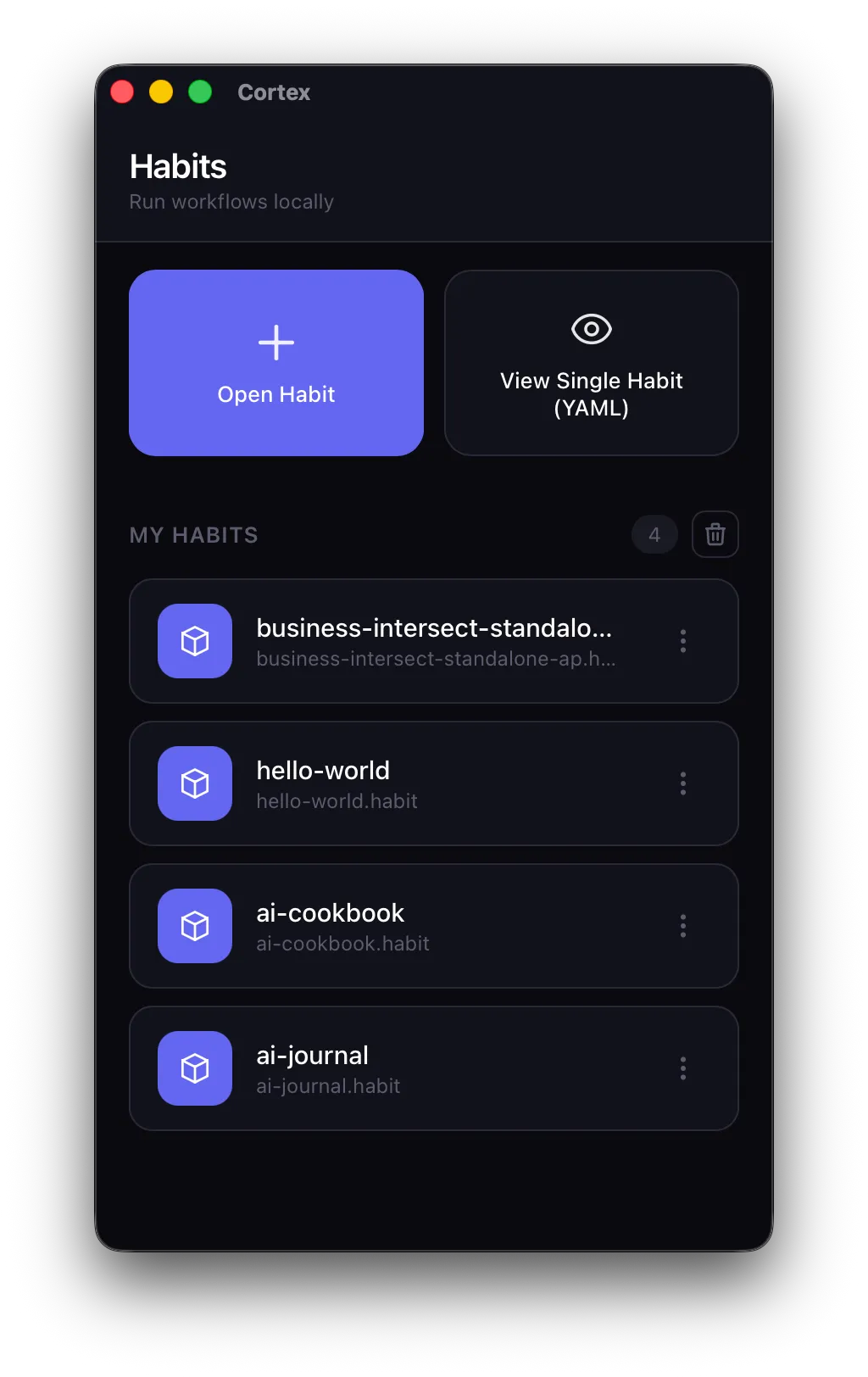 Home Screen
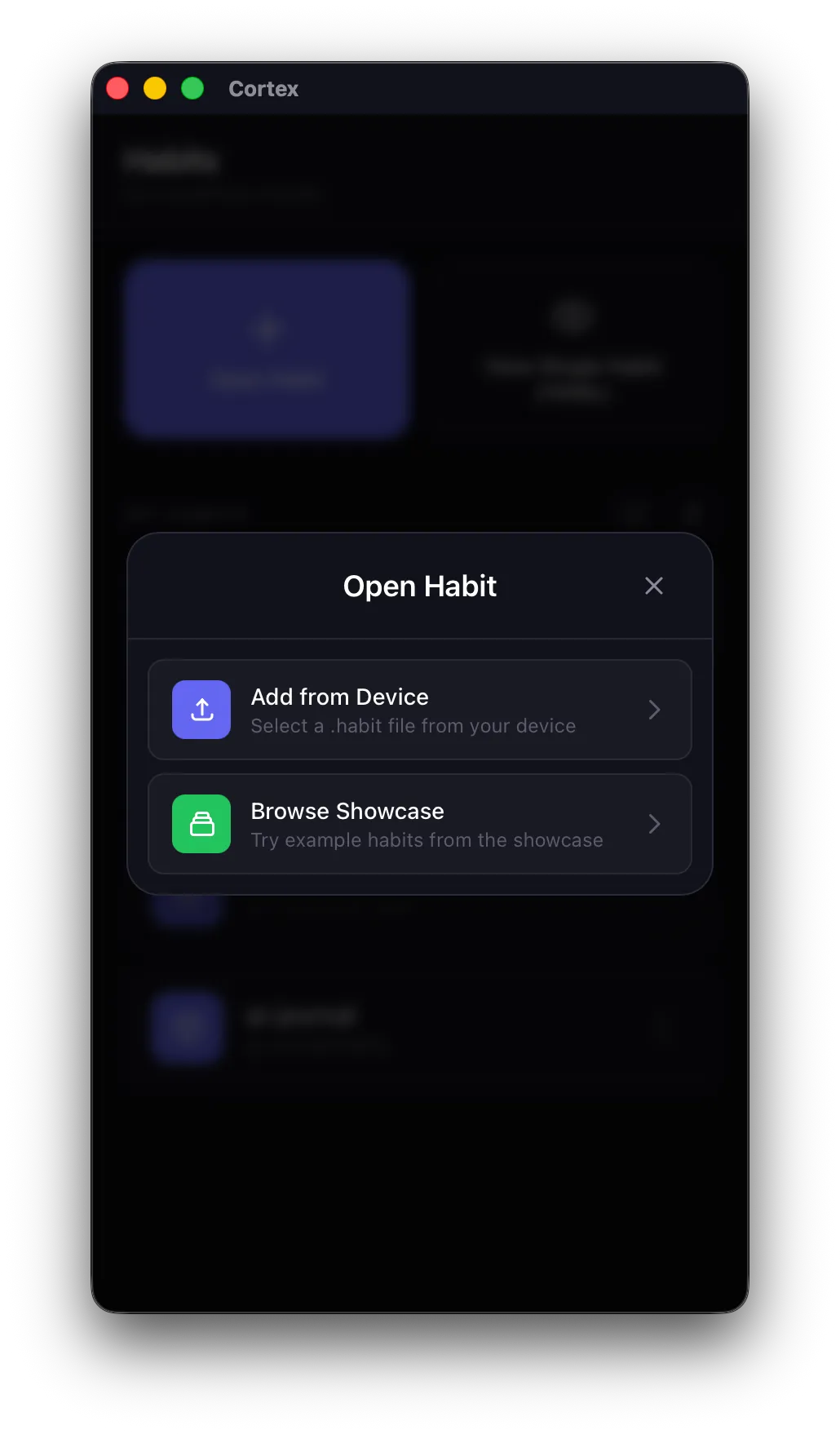 Add New Habit
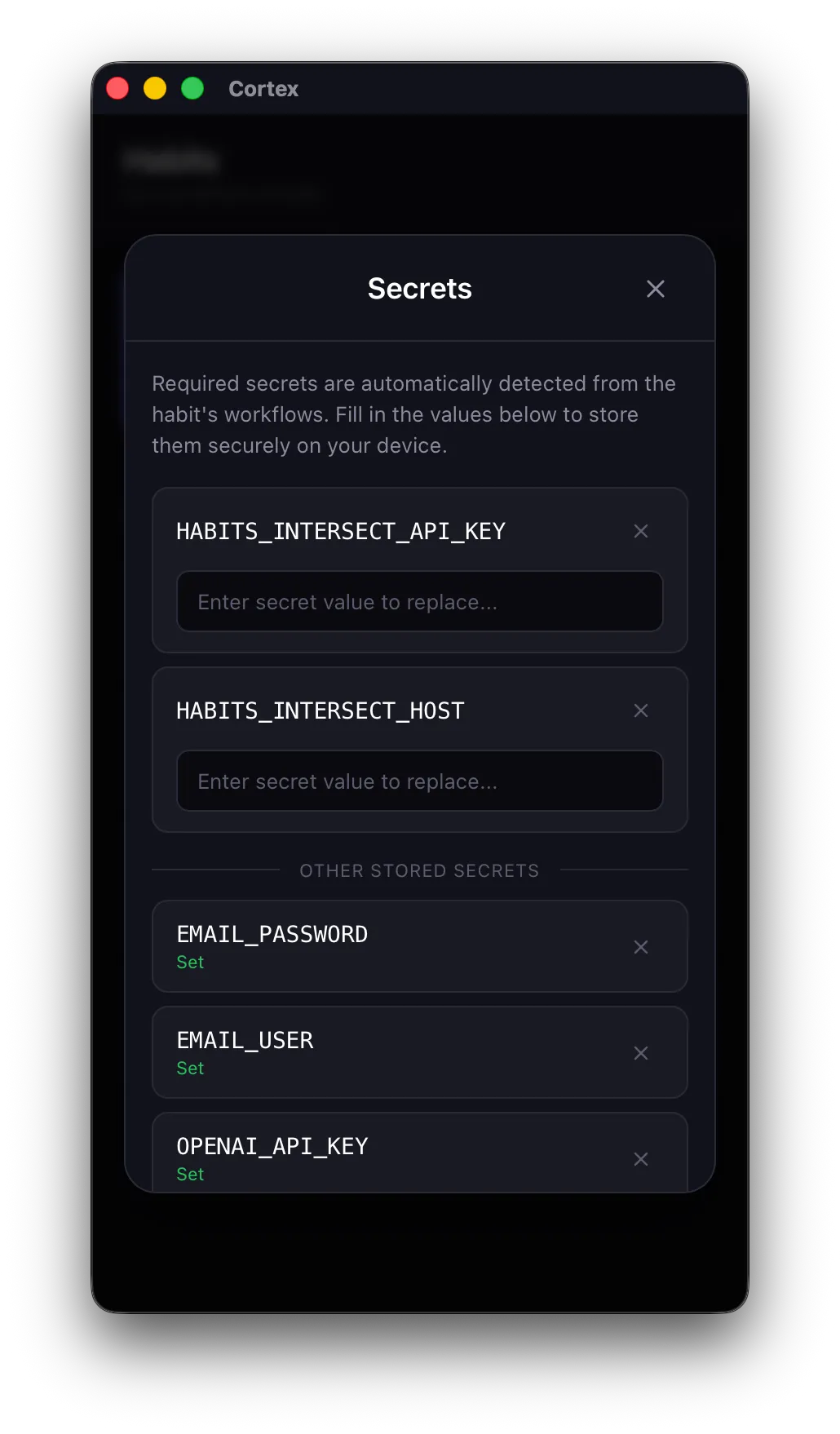 Set Secrets
Via Terminal (npx) Daemon/Server
Requires Node.js 24+. Runs as a background server exposing HTTP API.
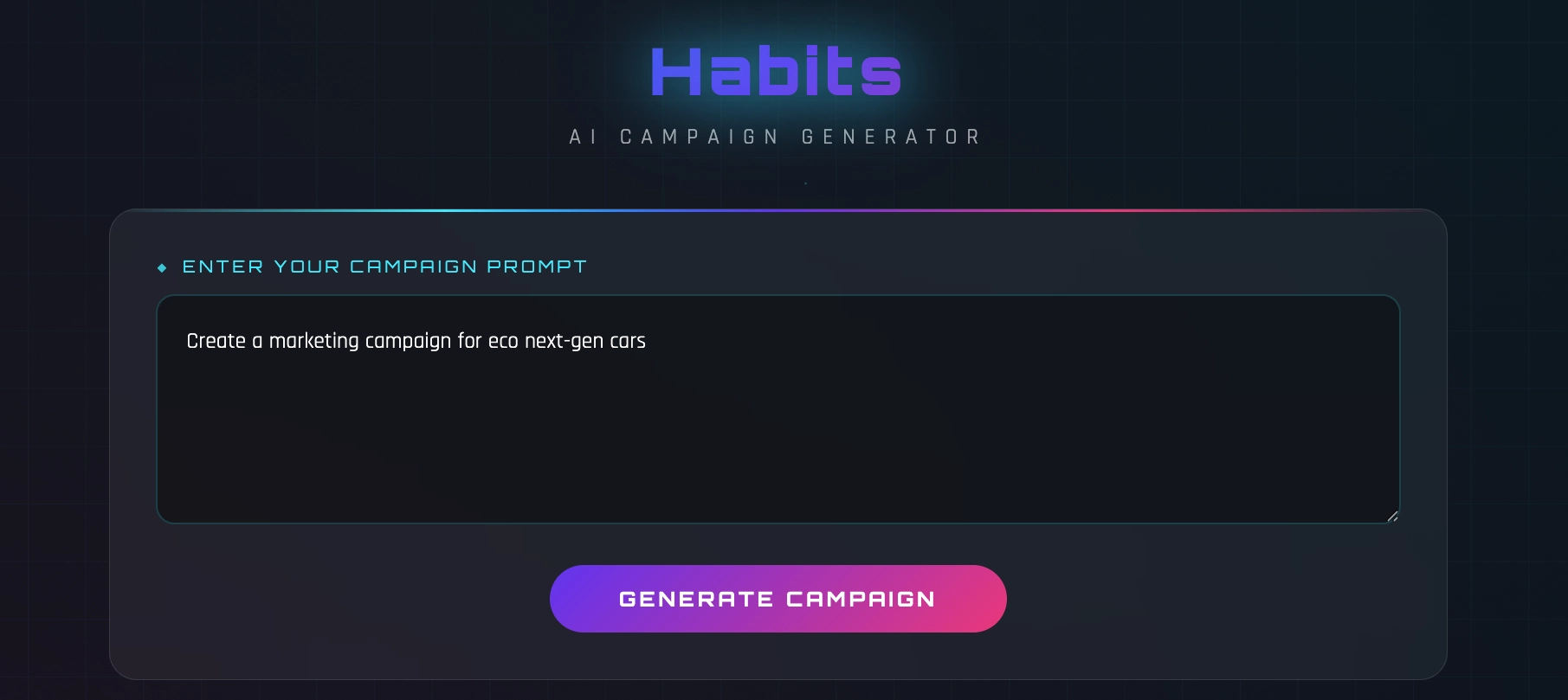 Automation Frontend (If provided)
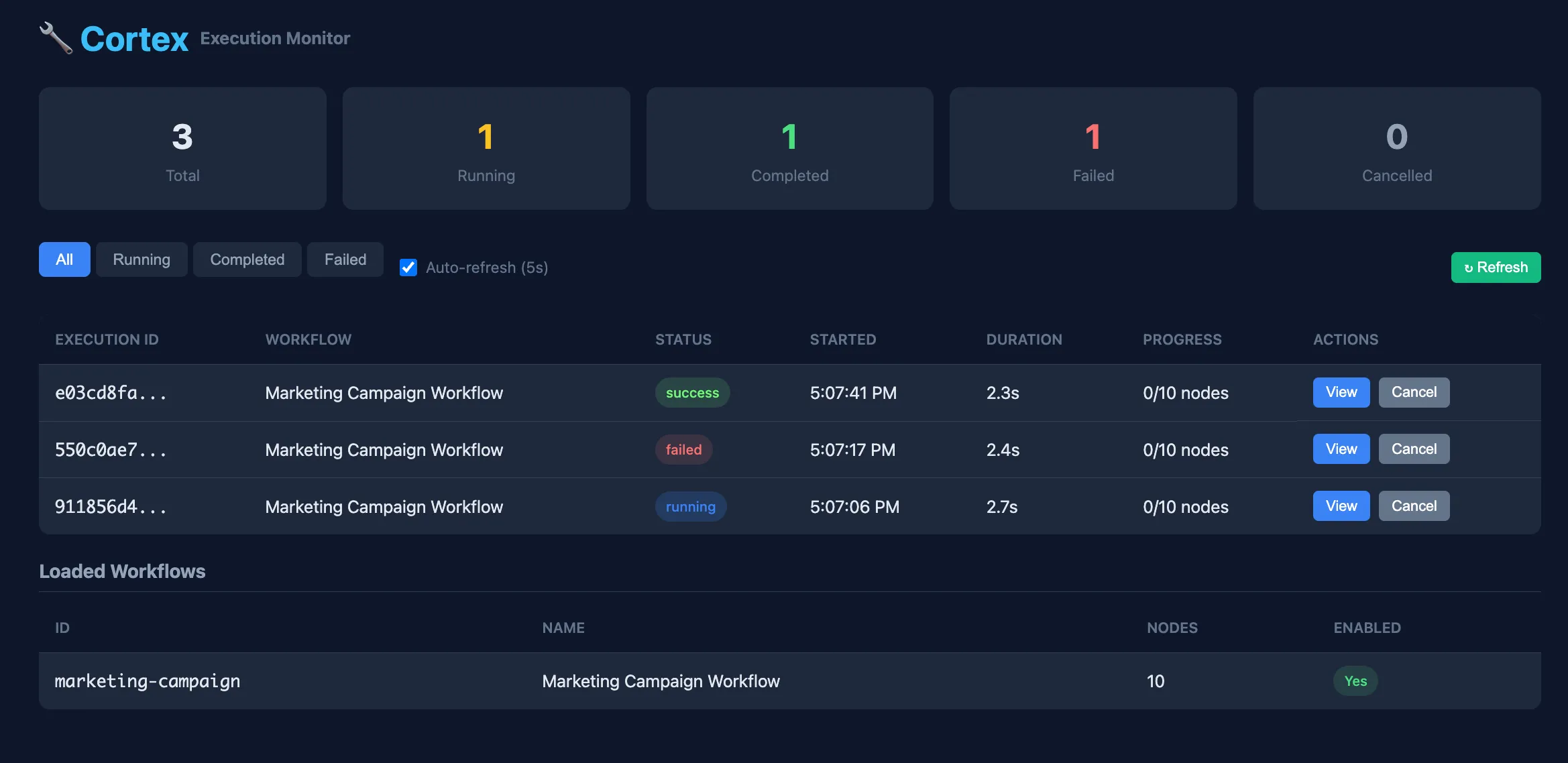 Automation Monitoring
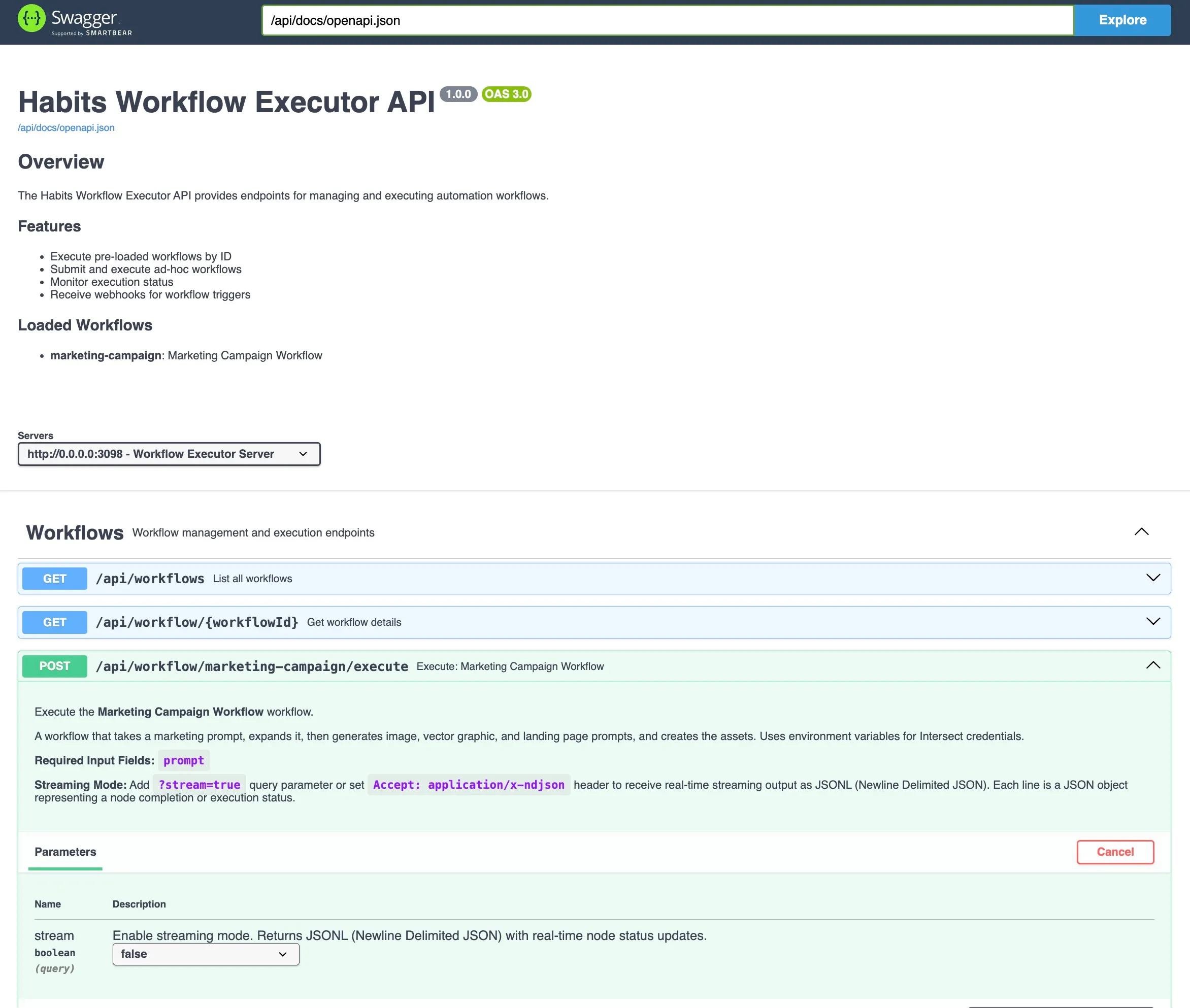 API Documentation
Appendix B: Viewing Contents Cortex
Compliant viewers SHOULD be able to display each workflow in the package independently.
In the Cortex App
Home Screen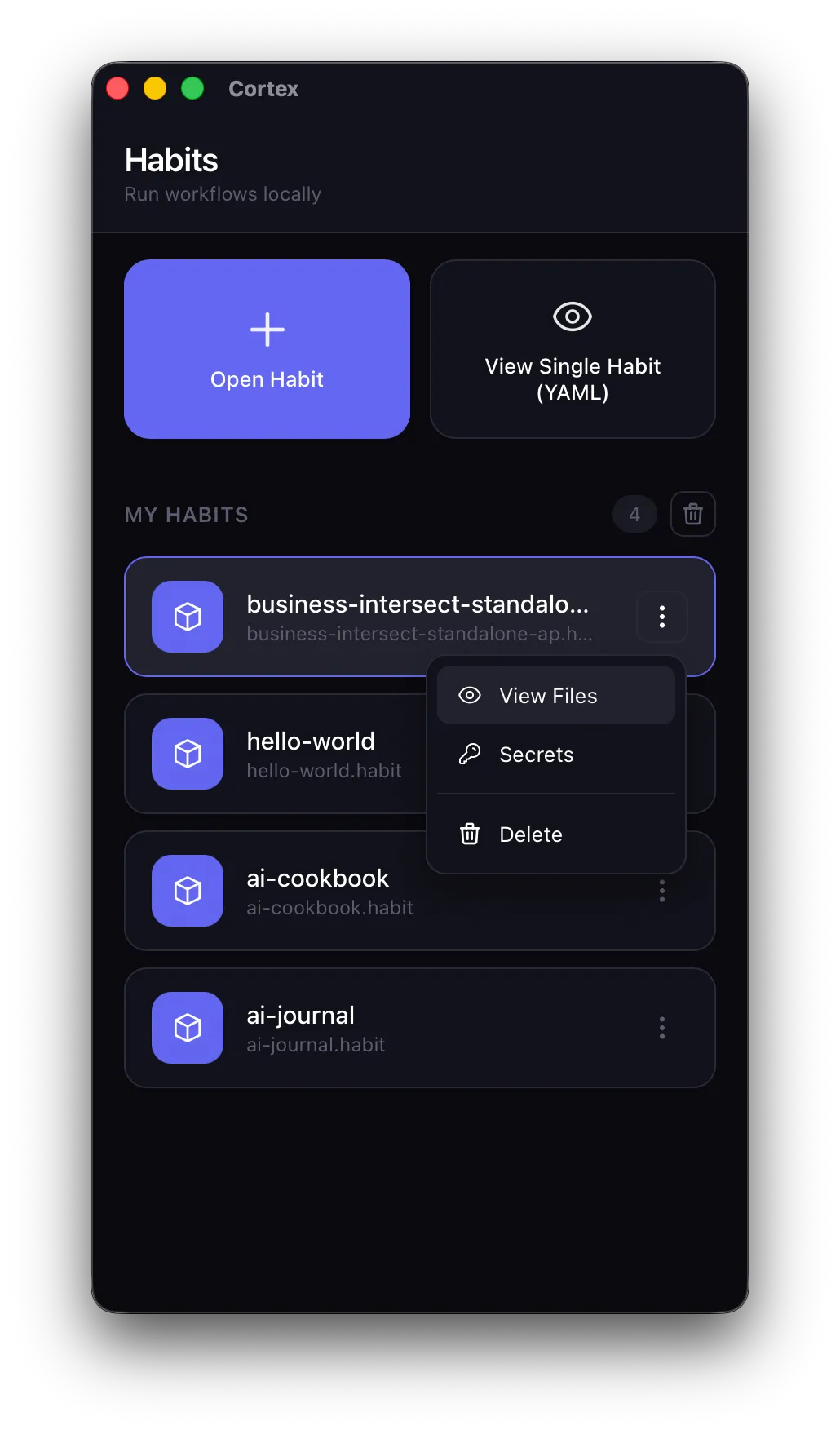 Workflow Options
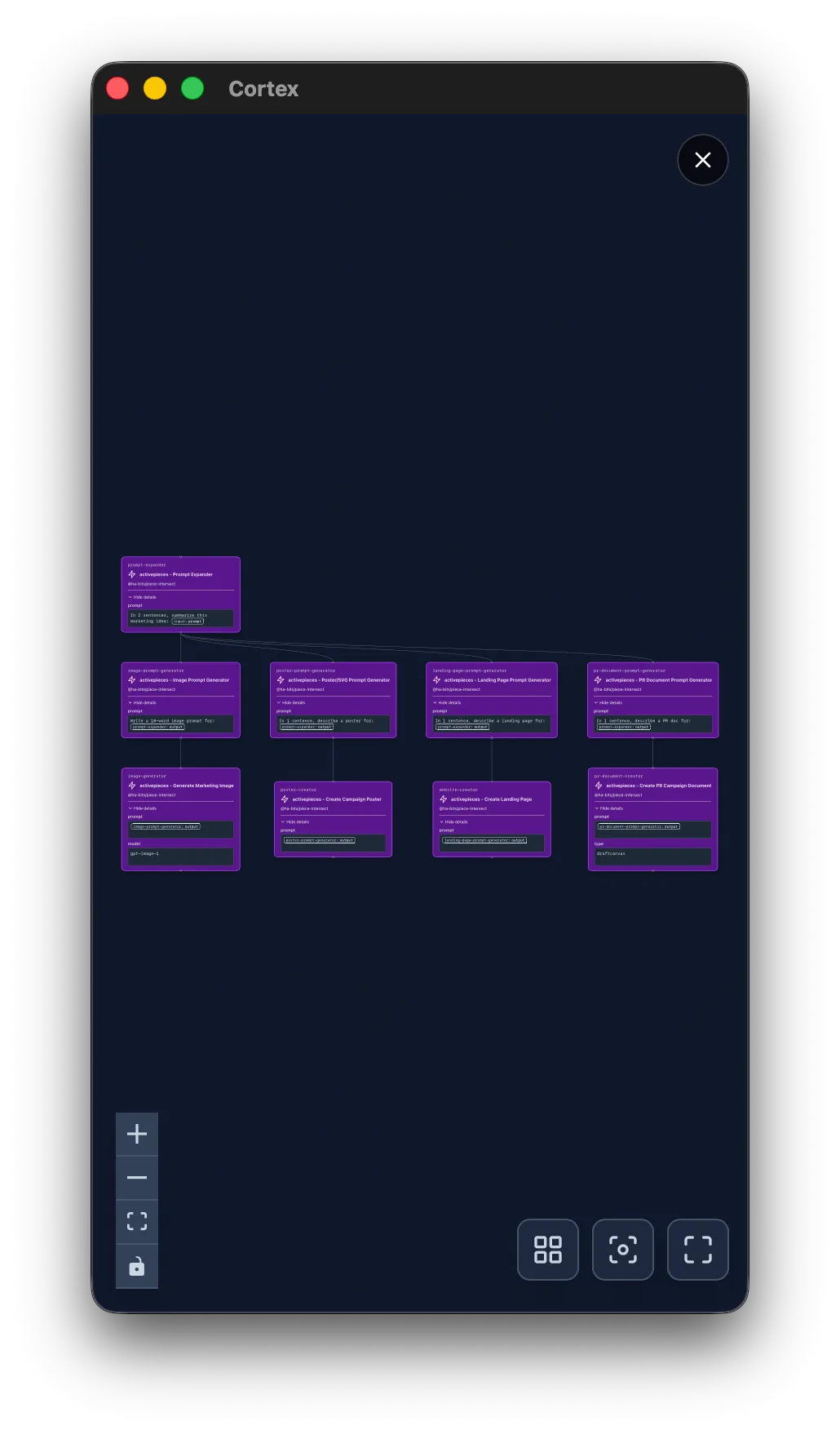 View Output
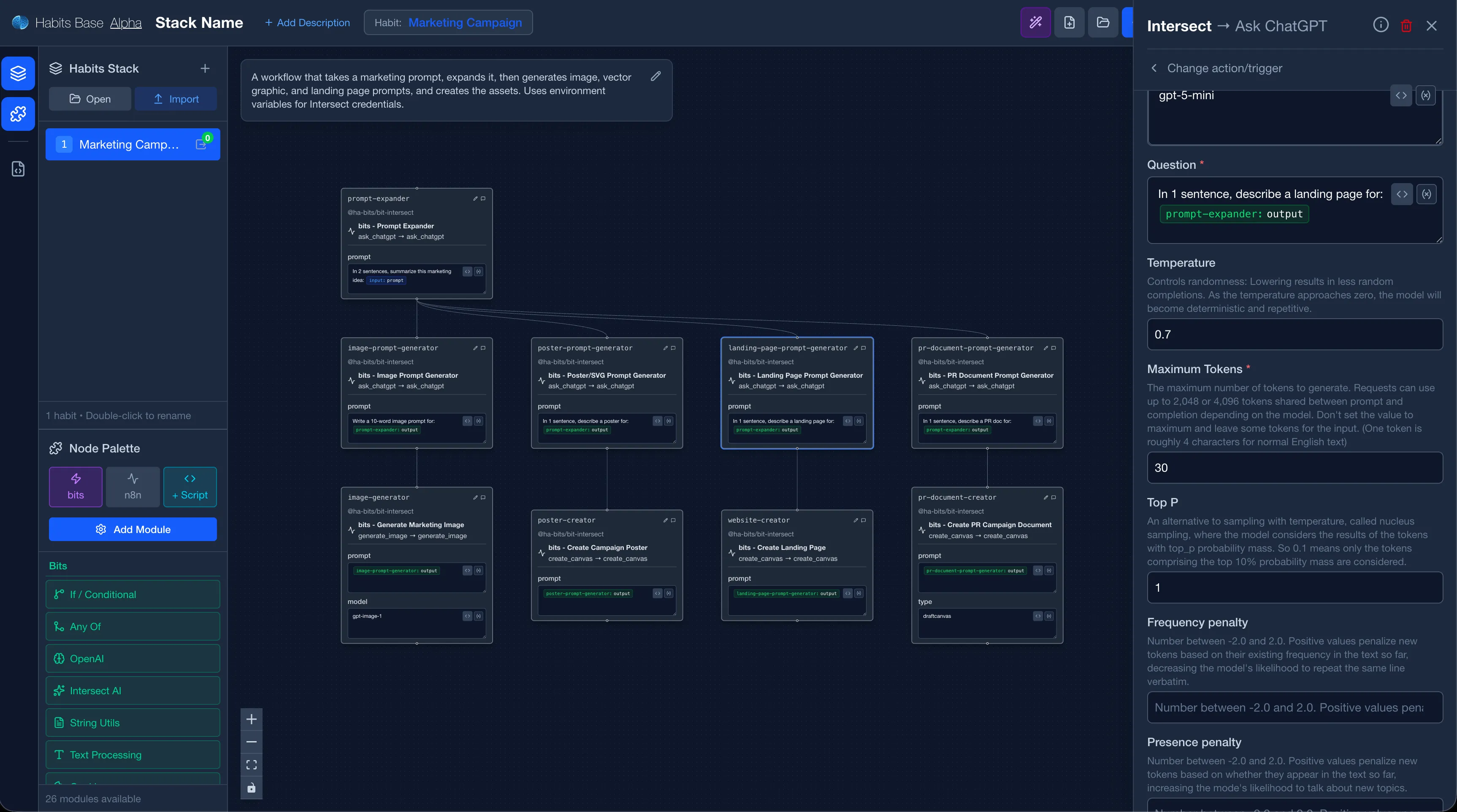
In the Base UI
Screenshot: Browsing and inspecting habits in the Base web interface
Appendix C: Authoring and Packaging Cortex
First, create a regular stack using one of these methods:
Base UI
Visual editor with drag-and-drop workflow builder
AI Generation
Describe what you want and let AI create the habit
Habit-as-Code
Write YAML/JSON directly in your favorite editor
Step 1: Define Your Stack
You can use Habits Base or just write the stack.yaml, the habit files in yaml and frontends.
# stack.yaml
version: "1.0"
name: "my-automation"

workflows:
  - id: main
    path: ./habits/main.yaml

server:
  frontend: ./frontend
  port: 3000
Step 2: Pack It
$ npx habits pack --format habit --config ./stack.yamlStep 3: Distribute
- Share via email, chat, or file transfer
- Host on any web server or CDN
- Publish to habits registry (If you want)
- Submit to your company Habits marketplace (Enterprise)